
The One-Click Break Even Button NinjaTrader Should Have Built
Stop fumbling with stops in the middle of a move. BreakEven Trail™ protects your trade in one click — then trails it automatically, tick by tick. Watch it live →
Price hit your target. Your stop is still at risk.
Every active futures trader knows this moment — and the painful options NinjaTrader gives you.
Dragging the stop is imprecise
One pixel off and you've moved it to the wrong level. In a fast market, that's real money.
→ Exact break-even in one click. No dragging.
Modifying orders takes 4–5 clicks
Right-click → Modify → type price → confirm. By then the market has moved.
→ One button. Stop locked. Under 1 second.
Built-in BE goes to exact entry
No commission offset. No trailing. No OCO management. One action and you're done.
→ BE+N offset, exact BE, and BE−N staged risk.
ATM strategies add complexity
Modifying a stop while an ATM runs can duplicate orders or break the OCO link.
→ ATM-compatible. No order conflicts, ever.
Two modes. One click.
BreakEven Trail adds a panel directly in Chart Trader — right where your ATM controls live.
bolt One-Click BE
Press the BE button from Chart Trader. Your stop moves instantly to:
- check_circleBE+N — entry + N ticks (covers commissions)
- check_circleExact BE — entry price exactly (zero risk)
- check_circleBE−N — staged risk reduction below entry
- check_circleATM compatible — no duplicate orders
autorenew Hands-Free Trail
Enable AutoTrail. BET watches your position tick by tick:
- arrow_rightTrails as the market moves in your favor — configurable offset
- arrow_rightNever moves backward — only locks in more profit
- arrow_rightEmergency Stop fires if price reverses past threshold
- arrow_rightResets cleanly between trades — no manual cleanup
Initial Stop
Original stop in place. Trade is unhedged. BET monitoring — waiting for your command.
AutoTrail On
Stop trailing tick by tick. Locked-in profit grows as the market advances in your favor.
Break Even Set
Stop at break-even. Trade is risk-free. Let it run without giving back your entry price.
Built for how traders actually trade
Every detail engineered to protect your trade without breaking your focus.
One-click break even
Stop to break-even + N ticks in one click. No dialogs, no pixel errors, no order confirm.
AutoTrail — tick-by-tick
Trails automatically as price advances. Never moves backward — only locks in profit.
Emergency Stop
3-layer protection: trail → emergency stop → market close. Automatic in fast markets.
BE+N, exact, BE−N
Cover commissions, go risk-free, or reduce risk in stages. Configure per trade.
ATM compatible
Works with your ATM brackets without duplicate orders or broken OCO links.
Works with Profit Lock
BET trails break-even; PL locks profits. Both on the same chart, fully coordinated.
Auto-reset between trades
Detects position close automatically and resets. No manual cleanup between trades.
Any instrument, any size
Futures, forex, any contract count. Position size detected automatically by NT8.
One click. Eight frames.
The full story — from entry to locked profit. Click any frame to expand.
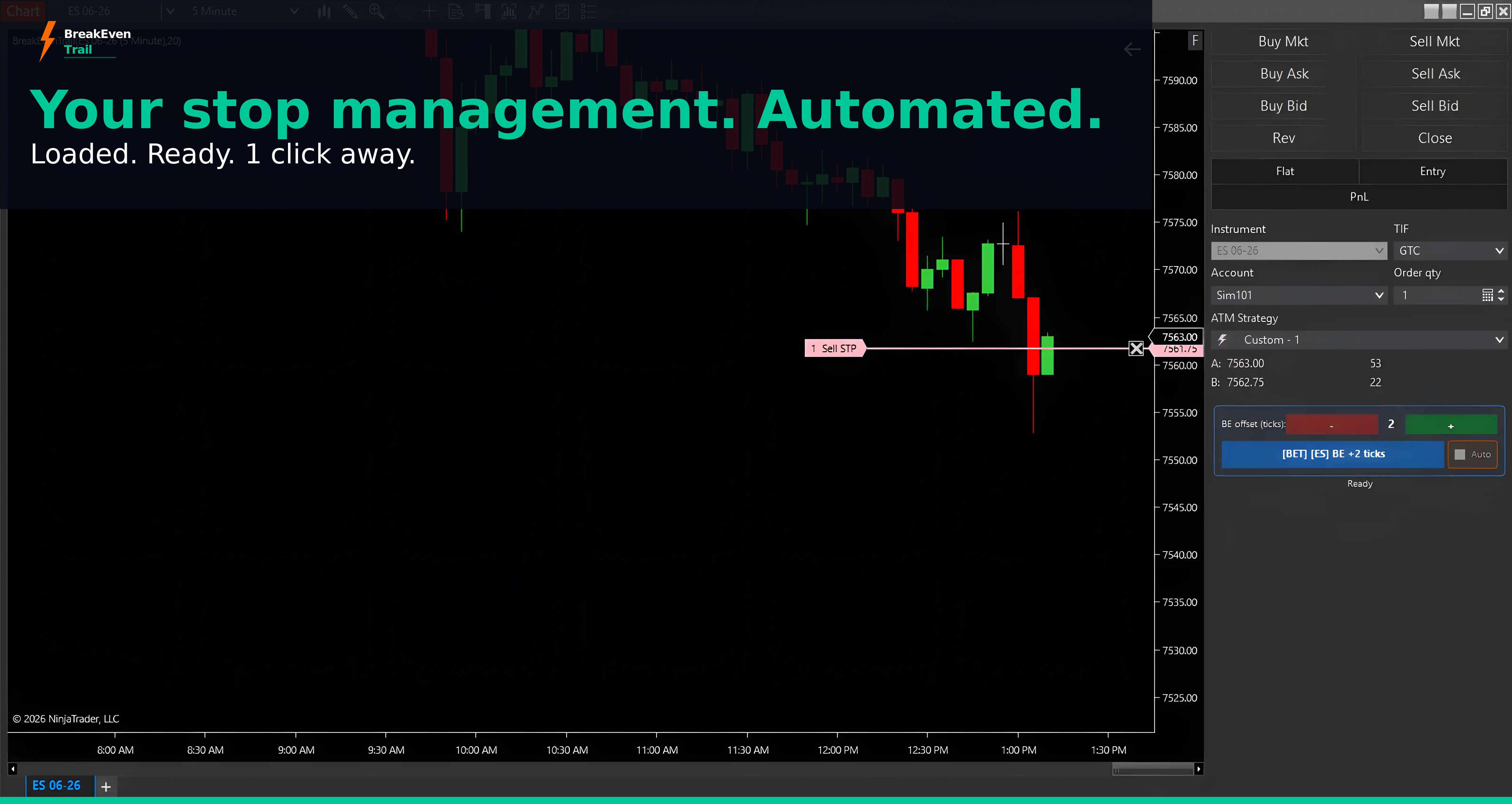 01 — ReadyBET loaded. Stop active. 1 click away.
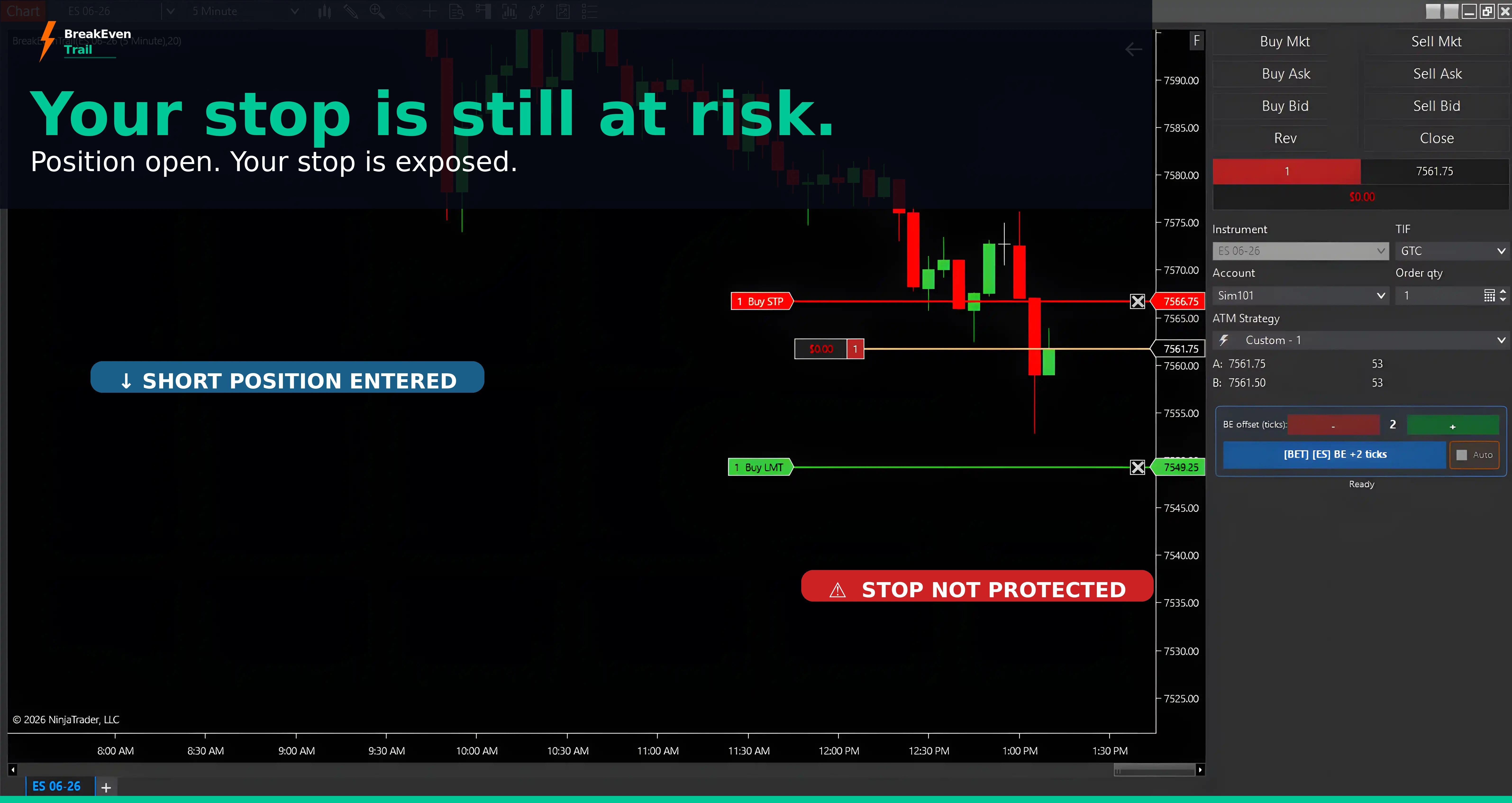 02 — RiskPosition open. Stop still at original risk.
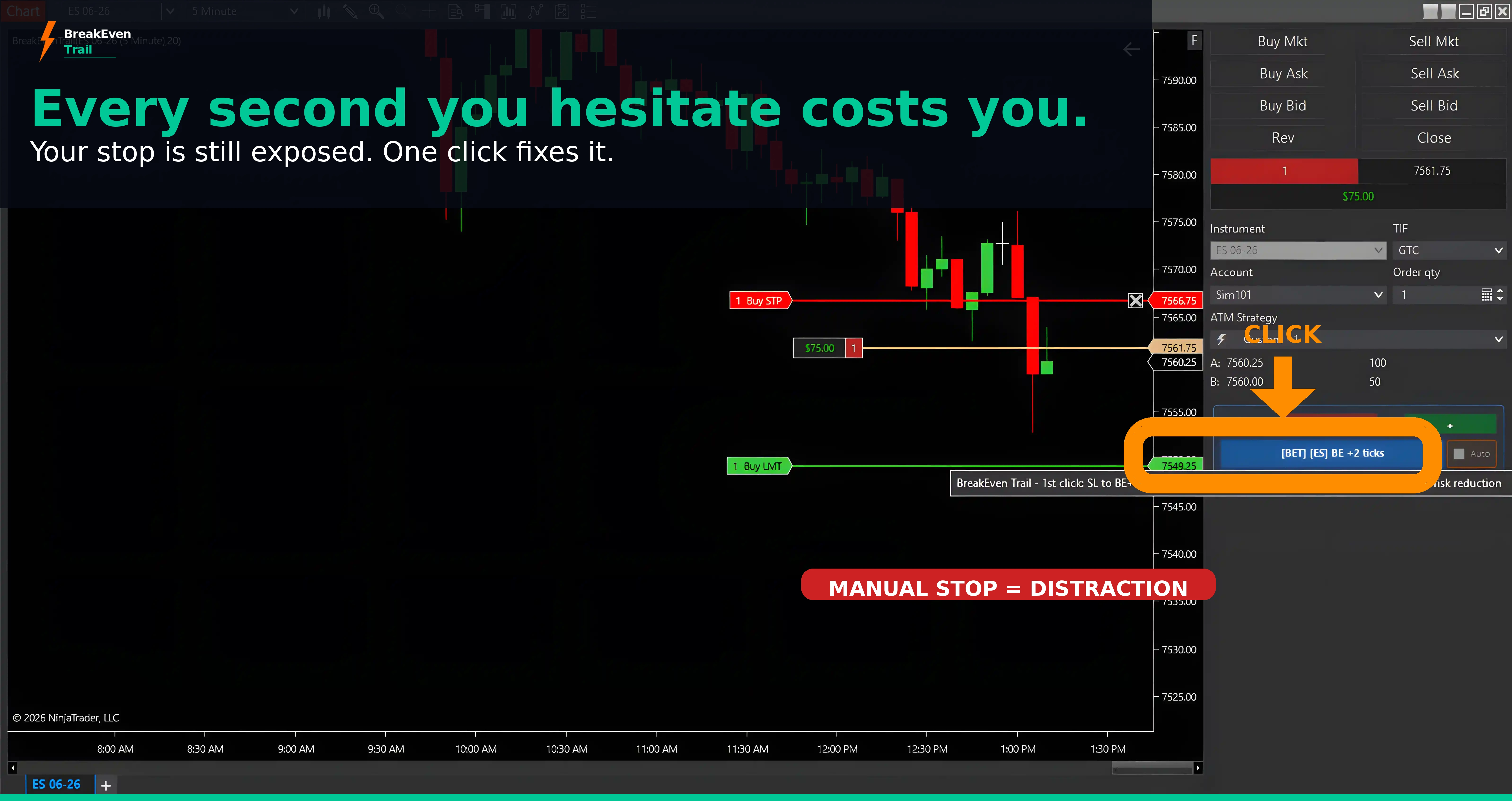 03 — WaitEvery second fumbling costs you.
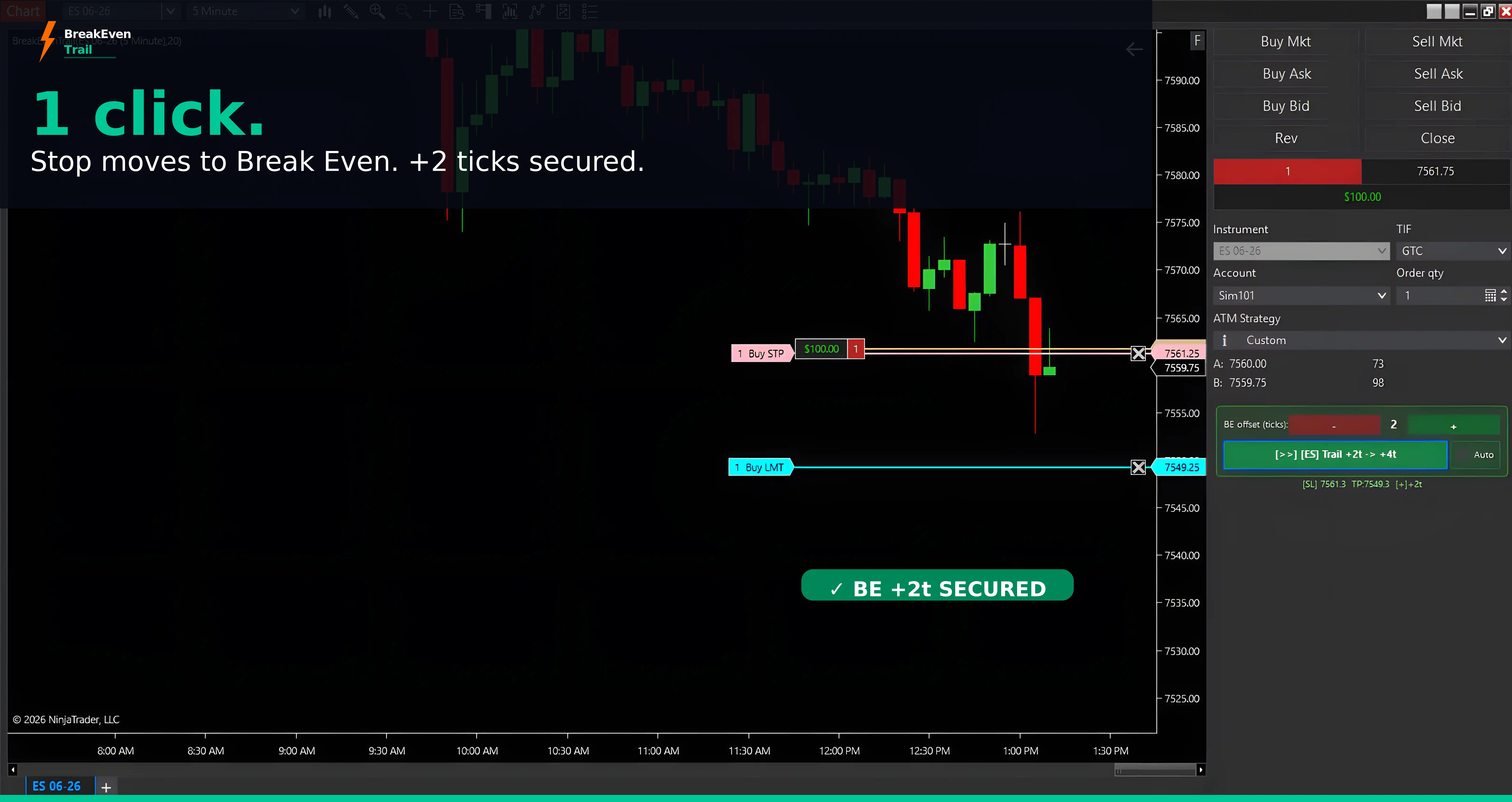 04 — ClickOne click. Stop at BE +2t. Instantly.
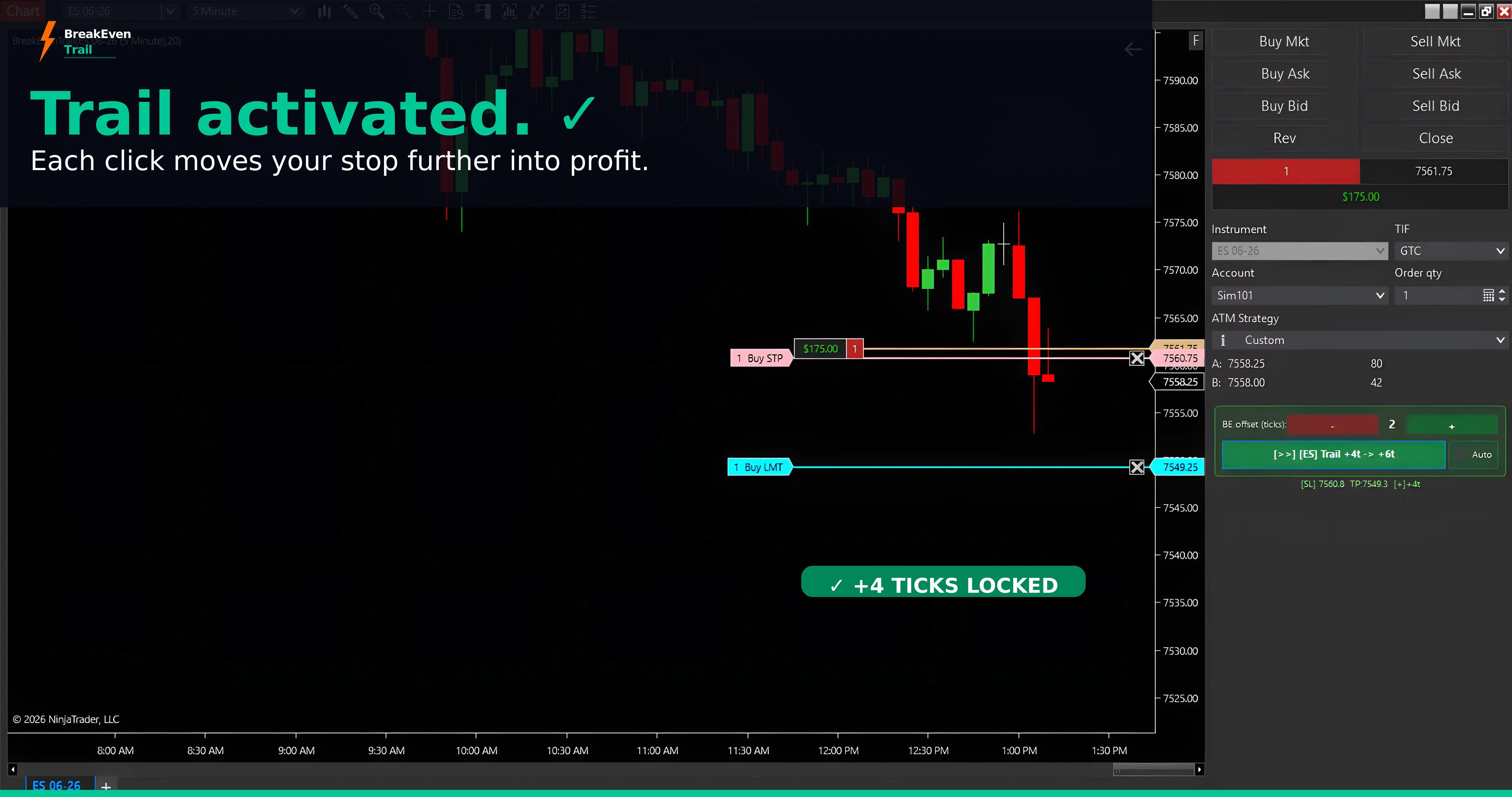 05 — TrailAutoTrail active. Stop follows every tick.
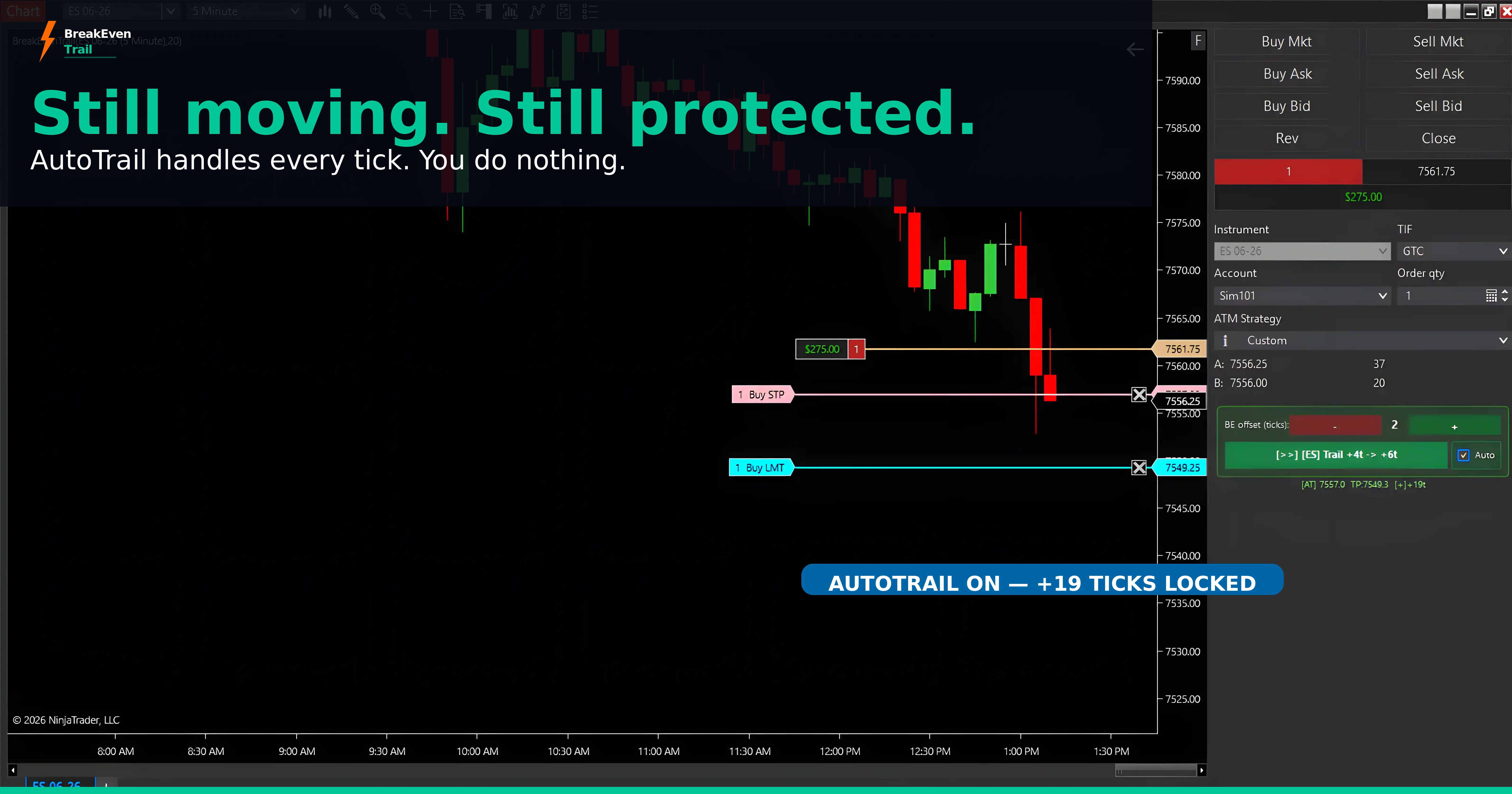 06 — RunningMarket still running. More protected every tick.
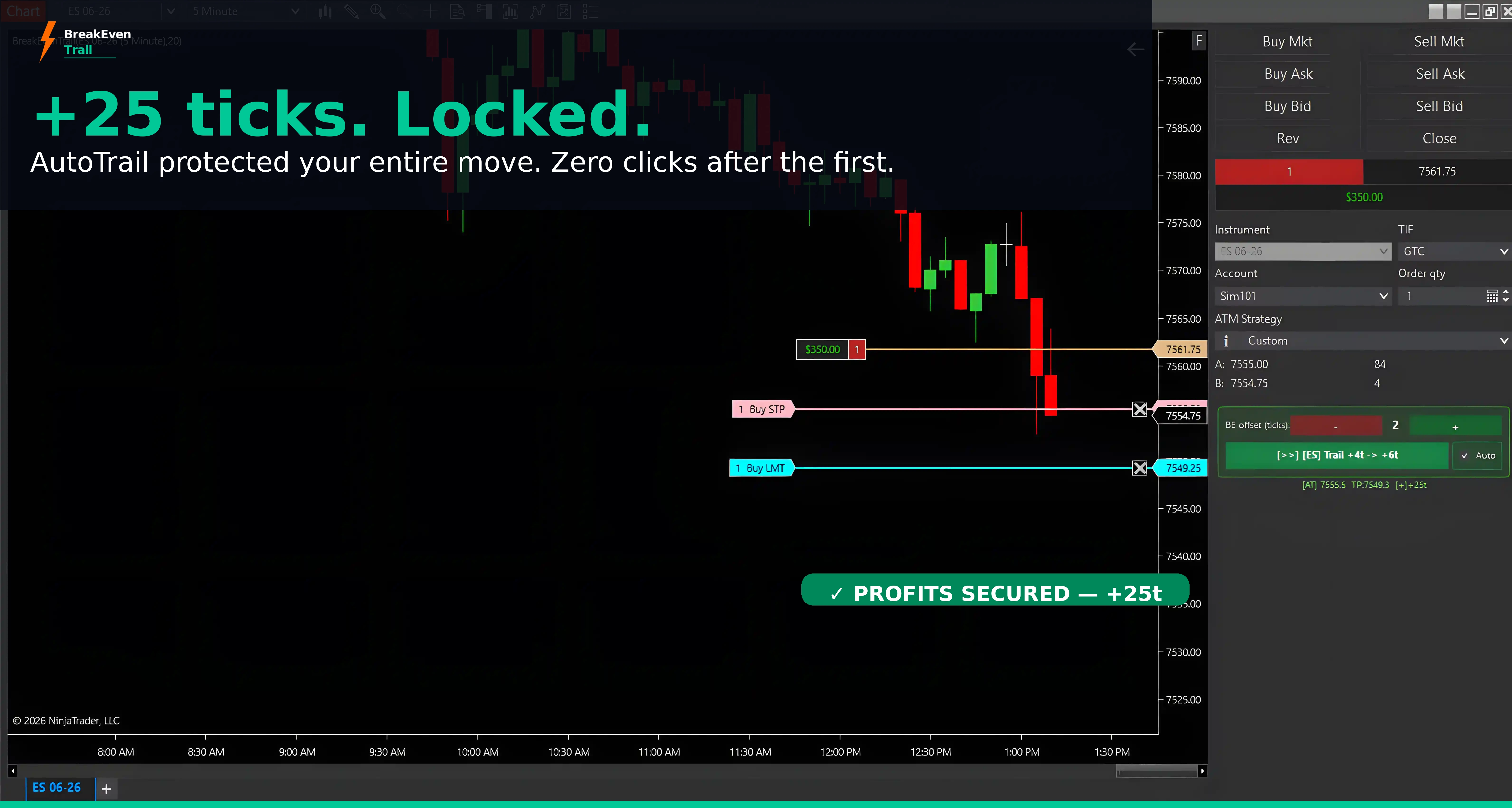 07 — Locked+25t locked. Zero clicks after the first.
NT8 v8.1.7.2 · ES 06-26 · Sim101 · Real product — no mockups
One click. Stop protected.
Watch BreakEven Trail working live in a NinjaTrader 8 Chart Trader session.
Video demo — coming soon
Built exclusively for NinjaTrader 8
BreakEven Trail™ runs natively inside NinjaTrader 8's Chart Trader — the same window where your ATM brackets live. No external software, no browser plugins, no API latency.

Download NinjaTrader and get immediate FREE access to everything you need to trade futures professionally:
- doneReal-time & historical futures data
- doneAdvanced charting with 100+ indicators
- doneFully-funded trade simulator — practice risk-free
- doneNinjaScript strategy development & backtesting
- done1,000+ apps & add-ons including BreakEven Trail
Affiliate link — we may earn a commission at no cost to you.
NinjaTrader® is a registered trademark of NinjaTrader Group, LLC. No NinjaTrader company has any affiliation with the owner, developer, or provider of the products or services described herein, or any interest, ownership or otherwise, in any such product or service, or endorses, recommends or approves any such product or service.

Kinetick Market Data — Free End-of-Day Data
NinjaTrader's exclusive market data feed. Free end-of-day futures data for backtesting, or upgrade for real-time streaming. Exchange fees may apply for live data.
One price. Yours forever.
No subscriptions. No renewal fees. One payment — all future updates included.
Individual License
The essential risk management tool for active NinjaTrader 8 traders.
- check_circleBreakEven Trail v1.4.0 for NinjaTrader 8
- check_circleManual Break Even — one-click stop management
- check_circleAutoTrail — hands-free trailing stop
- check_circleEmergency Stop — 3-layer protection
- check_circleThree BE modes: BE+N, exact, BE−N
- check_circleInstallation guide EN + ES (PDF)
- check_circleLicense portal & email support
- check_circle7-Day Money-Back Guarantee
What happens after you buy?
Instant Email
Lemon Squeezy sends your download link immediately. No delays, no waiting for approval.
Download & Import
4 steps in NT8. License activates automatically when the indicator loads for the first time.
Lifetime Updates
Every future BET version included. Download new releases from your same permanent email link.
Up and running in under 2 minutes
NinjaTrader handles the import automatically. No manual file copying needed.
Download the ZIP
Lemon Squeezy emails your permanent link for BreakEvenTrail_v1.4.0.zip immediately after purchase.
Import into NT8
Tools → Import → NinjaScript Add-On. Select the ZIP. NinjaTrader handles the rest automatically.
Restart NinjaTrader
Close and restart NT completely. This ensures your license validates correctly. Don't skip this step.
Add to Chart
Right-click chart → Indicators → BreakEven Trail → double-click. Panel appears in Chart Trader.
Common questions
Yes. BET detects your full position quantity automatically and manages the stop for the entire position. No configuration needed.
No. BET is designed to coexist with ATM brackets. It modifies stops without breaking OCO links or creating duplicate orders.
Yes — they're built to work together. BET handles break-even trailing; PL handles profit locking. Use both on the same chart with BET v1.4.0 or later.
BE+N moves your stop to entry + N ticks — locking in a small profit above entry (covers commissions). BE−N moves it to entry − N ticks — staged risk reduction when the market is near entry. Exact BE is entry price exactly.
Yes. AutoTrail works identically in Sim101 and live accounts. Test it fully in simulation before using it live.
Yes. Fully compatible with Apex, Topstep, FTMO, and other funded account providers. Many funded traders use BreakEven Trail daily.
Your license is tied to your NinjaTrader account email and activates automatically when the indicator loads. No codes needed. Works on any computer where you log into NT8 with that account. Lifetime — free updates included.
7-Day Money-Back Guarantee. Not satisfied? Email support@breakeventrail.com within 7 days for a full refund — no questions asked.
Tools every futures trader needs
Live session clock, tick value calculator, position size calculator — no purchase required.
* Affiliate link — we may earn a commission at no cost to you.
Live Trading Sessions Clock
Real-time view of active markets worldwide. All times in UTC — your local time shown below.
Futures Tick & Point Value Calculator
Select any instrument to see tick size, tick value, and point value. Enter a number of ticks to calculate the dollar amount.
* Eurex instruments (FDAX, FESX) are quoted in EUR.
Position Size Calculator
Enter your account size, risk tolerance, and stop distance — get the maximum number of contracts to stay within your risk limit.
Max contracts = floor(Risk Amount ÷ Stop Cost per Contract). Never rounds up.
Complete Your Trading Arsenal
BreakEven Trail is one tool in a growing suite of professional NinjaTrader 8 products.
BreakEven Trail
One-click break even + intelligent trailing stop. Your foundation for trade risk management.
$97 — ActiveProfit Lock
One-click OCO bracket: target + stop placed simultaneously. Set it once — your profit is protected the moment the trade moves.
$97 — Learn More →More Products
The NinjaSmart Suite™ is growing. New tools for automation, analytics, and execution quality.
Stay tunedWhat traders are saying
"Excellent tool for traders — immediate execution, I couldn't imagine managing my risk without it anymore. The Breakeven to Trail feature alone has saved my account more than once. It moves my stop to breakeven instantly and then trails perfectly as the trade goes in my favor, no hesitation, no delays. The way it locks in profits automatically while letting winners run is exactly what every serious trader needs. If you trade NinjaTrader 8 professionally, this is not optional, it's essential."
Your stop, automated.
One click.
Stop fumbling at the critical moment. Let BreakEven Trail handle it — so you can focus on the trade.
shopping_cartBuy Now — $97Something not working? We've got you.
Check your license instantly or open a support ticket — the portal handles both.
Need Help?
Submit a support ticket, download installation guides, and access all resources. We respond within 24 hours.
support@breakeventrail.com
BreakEven Trail is a trade management tool — it does not generate trading signals, make trading decisions, or guarantee any outcome. Moving a stop to break-even does not eliminate trading risk.
Futures and forex trading contains substantial risk and is not for every investor. An investor could potentially lose all or more than the initial investment. Only risk capital should be used for trading and only those with sufficient risk capital should consider trading. Past performance is not necessarily indicative of future results.
NinjaTrader® is a registered trademark of NinjaTrader Group, LLC. BreakEven Trail is an independent third-party product developed by Romeox Capital LLC DBA Breakeven Trail and is not affiliated with, endorsed by, or sponsored by NinjaTrader Group, LLC. EULA · Privacy Policy